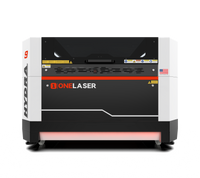
Liquid error (sections/image-banner line 171): invalid url input
Fix your Hydra red dot laser light with this step-by-step diagnostic and repair guide.
The red dot laser light on your OneLaser Hydra is one of the most important tools in your shop. It serves as your visual guide, showing exactly where the laser will fire before you ever hit "Start." When this light disappears, positioning your materials becomes a guessing game, leading to wasted wood, acrylic, and metal.
In this comprehensive guide, we will walk you through the process of troubleshooting the OneLaser Hydra Red Light. Whether you are a seasoned business owner or a new maker, you will learn how to identify if the issue is a simple loose wire or a component failure.
Key Takeaway
- Alignment is Crucial: The red dot is essential for precise job positioning and framing.
- Safety First: Always use a multimeter and follow electrical safety protocols when testing boards.
- Diagnostic Logic: Check the light source first, then the connectors, and finally the circuit board.
- Cleanliness Matters: Sometimes the light is on, but dirty mirrors are blocking the red laser light.
1. Understanding Hydra Red Light
Before we dive into the repairs, it is helpful to understand how the red line laser system works inside your machine. The red light is not the actual engraving laser; it is a low-power diode.
This diode emits a red laser line or dot that is combined with your powerful CO2 or Fiber beam using a component called a "beam combiner." This allows the visible light to follow the exact same path as the invisible engraving beam.
If this light fails, the machine might still cut perfectly, but your ability to "frame" your project is lost.
Why the Red Dot Disappears
There are usually three main culprits when the red laser light goes dark:
Component Failure: The diode itself has reached the end of its life.

Connection Issues: Vibrations from the machine have loosened a plug.

Power Issues: The control board is no longer sending the necessary 5V signal.

2. Phase 1: The Initial Visual Inspection
The first step in correcting the Red Light of Hydra is a simple visual check. You don't need any tools for this part other than your eyes and a clean cloth.
a. Locate the Bracket
Open the top door on the left side of your machine. Near the beam combiner—the gold-colored mount where the laser path begins—you will find the mounting bracket for the red light source.

b. Check the Emission
With the machine powered on, look closely at the tip of the red light diode.
Scenario A: The light is ON at the source. If you see a faint red glow at the diode but no red laser light on your honeycomb bed, your mirrors are likely the problem. Dust or smoke residue on mirror #1 or the beam combiner can block the visible light.
Scenario B: The light is completely OFF.
If there is no glow at the source, the issue is electrical. Move to Phase 2.
3. Phase 2: Checking the Indicator Connector
Modern laser machines like the Hydra are high-precision instruments, but they are still subject to the laws of physics.
Constant movement of the laser head and cooling fans can cause connectors to wiggle loose over time.
Troubleshooting the Adapter Interface
Locate the red light indicator adapter interface. This is typically found on the left side of the machine, tucked near the beam combiner assembly.
- Inspect for Looseness: Gently tug on the wires. If the connector pops out easily, it wasn't seated correctly.
- Check for Pin Damage: Ensure the pins inside the connector aren't bent or corroded.
- Re-seat the Connection: Unplug it and plug it back in firmly. If the red dot laser light flickers back on, you’ve solved the problem!

4. Phase 3: Advanced Circuit Diagnostics (Multimeter Required)
If the connections are tight but the light is still dead, we need to look at the "brain" of the system: the TL-Timer board.
This section is for business owners who want a definitive answer before ordering replacement parts.
a. Step-by-Step Voltage Testing
To perform this test, you will need a digital multimeter set to the DC voltage range (20V or 5V setting).
- Access the Electronics: Open the bottom door panel on the right side of the machine.

- Identify the TL-Timer Board: This is the secondary control board that manages timed operations and auxiliary power.
- Unplug the Component: Find the specific cable marked for the red light indicator. Unplug it from the board.

- Measure Output: Place your multimeter probes on the output pins of the board where the cable was just plugged in.

b. Interpreting Your Results
|
Voltage Reading |
Diagnosis |
Solution |
|
Steady 5V |
The TL-Timer board is healthy. |
The red laser line diode is dead. Replace the diode. |
|
0V or Fluctuating |
The TL-Timer board is failing. |
Replace the TL-Timer board. |


5. Pro-Tips for Red Light Maintenance
Keeping your red dot laser light in top shape is part of professional machine ownership. Here are a few tips to prevent future issues:
- Cable Management: Ensure the wires for the red light aren't rubbing against the timing belts. Over time, belts can "saw" through thin wires.
- Voltage Protection: Use a high-quality surge protector or UPS (Uninterruptible Power Supply). Fluctuations in your building's power can damage the sensitive TL-Timer board.
- Lens Protection: When engraving high-smoke materials like leather or rubber, clean the small lens of the red light diode once a week.
6. Comparing Red Light vs. Red Line
In the world of red line laser engraving, you might encounter different types of indicators.
- Red Dot: A single point used for finding the "Home" position or the center of an object.
- Red Line/Crosshair: Used for aligning the horizontal and vertical axes of a workpiece.
- Contour Framing: Some advanced setups use the red light to trace the entire perimeter of the design.
The Hydra primarily uses a point indicator that travels through the mirrors, ensuring that if your mirrors are aligned, your red laser line is also aligned.
Summary of Troubleshooting Steps
Fixing the OneLaser Hydra Red Light follows a logical path:
- Clean the mirrors to ensure the light isn't just blocked.
- Check the physical plugs near the beam combiner.
- Use a multimeter to check for 5V output at the TL-Timer board.
- Replace the diode if power is present, or replace the board if power is absent.
FAQ: Your Red Light Questions Answered
Why is my red dot blurry or fuzzy?
This is usually caused by a dirty beam combiner or a dirty mirror. If the visible red laser light hits a smudge, it scatters. Clean your optics to sharpen the point.
Can I still use my laser if the red light is broken?
Yes, the machine will still fire. However, you will have to manually align your laser by "pulsing" the beam onto a piece of scrap tape, which is much slower and less accurate than using the red dot laser light.
Is the red light dangerous to look at?
The red light is a low-power pointer (usually Class 2), similar to a presentation pointer.
While you should never stare directly into any laser, it does not require the same high-level eye protection as the main CO2 or Fiber engraving beam.
Where can I buy a replacement red light for my Hydra?
You should always contact the OneLaser after-sales team. Using a generic third-party diode might have the wrong voltage or a different mounting diameter, which won't fit the Hydra's precision bracket.
How do I align the red dot with the actual laser beam?
If your laser hits one spot and the red dot hits another, you need to adjust the screws on the beam combiner mount. This "combines" the two paths into one.
Have Questions? Join Our Wiki!
Conclusion
A functioning red dot laser light is the difference between a frustrating afternoon and a productive business day. By following the visual, mechanical, and electrical steps outlined above, you can accurately diagnose the issue with your Red Light of Hydra.
If your tests indicate that a component has failed, do not hesitate to reach out to the OneLaser team. Provide them with your voltage readings from Phase 3, and they will be able to send the correct replacement parts to get your shop back up and running.