 Liquid error (sections/image-banner line 171): invalid url input
About Rich
This OneLaser XRF desktop laser review comes from Rich, owner of The Louisiana Hobby Guy. Rich brings over 35 years of software experience from both college and his career, along with a college minor in graphic design—a background he loves putting to use through software guides, videos, and original graphics for his supporters.
Now semi-retired, Rich spends his time exploring the "maker's "realm"—learning CNC, 3D printing, laser engraving, and woodworking, and even turning a bit of profit along the way. He shares his hands-on experiences from each of these hobbies as he goes, so others can learn from the wins and the missteps alike.
Today we're finally taking a deep dive into a machine I've been testing for the last several months: the OneLaser XRF.
I know a lot of people have been waiting to hear about this one. Even though it's been out for a while now, I held off on publishing this review because I wanted to put in more advanced testing and actually live with the machine for months before recommending it to anyone.
If you've followed this channel for any length of time, you know I don't get excited easily. I've tested a lot of lasers over the years—diode lasers, CO₂ lasers, fiber lasers, UV lasers, and just about every combination in between. Most machines do some things well. Most have compromises. And most leave me with a list of things I wish the manufacturer had done differently.
But every once in a while, a machine comes along that truly surprises me. The OneLaser XRF is one of those machines.
After months of cutting, engraving, and intentionally trying to find weaknesses, I can honestly say I haven't found a single deal-breaking flaw. What I found instead is a machine that delivers performance normally associated with far more expensive systems while staying accessible to hobbyists, makers, and small business owners.
So in this article, I'll cover what the XRF is, why RF technology matters, what features stand out, and why I think this machine is one of the best values currently available in the desktop laser market.
1. What Makes the XRF Different
The first thing that separates the XRF from other CO2 lasers is right in the name: RF stands for radio frequency. This machine uses a 38-watt RF metal tube instead of a traditional glass DC tube. If you're new to lasers, that might not sound important — but for those of us who've spent years working with CO2 machines, it's a very big deal.

Most people assume a CO2 laser is a CO2 laser. That's a bit like saying every vehicle with four wheels is the same. A bicycle, a pickup truck, and a Ferrari all have four wheels, but they perform very differently. The same logic applies to laser sources.
A traditional glass tube laser is exactly what it sounds like: a long glass tube filled with gas, excited by high voltage to create the beam. An RF laser, like the XRF, uses a sealed metal tube and radio frequency energy to excite the gas instead.
So what does that mean in practice?
A finer beam. An RF laser produces a much smaller, finer spot size — think of the difference between writing with a Sharpie and writing with a fine-point pen. The Sharpie is great for filling in large areas, but for tiny letters or intricate designs, the fine-point pen wins every time. That's why RF lasers are known for sharper photo engraving, cleaner text, and finer detail.

More speed. An RF laser can pulse much faster than a glass tube — like flipping a light switch on and off thousands of times per second, with precision. That's part of why RF machines hold engraving quality even at high speeds.
Better consistency. A glass tube's performance drifts as it heats up and ages; the gas mixture degrades and output slowly drops. An RF tube is sealed, temperature-controlled, and far more stable. What it does today is close to what it'll do next month and next year.
Longer lifespan. Glass tubes are essentially consumables — you'll eventually replace them. RF tubes are built for industrial use and typically last much longer. The XRF is rated for roughly 30,000 hours of service, compared to the 2,000–4,000 hours you'd typically get from a glass tube, and that's if you're lucky and the tube is decent quality.

That said, RF isn't automatically "better" at everything. If your priority is cutting thick material, a 100W or 130W glass tube laser can outperform a 38W RF simply on raw power — the 38W RF is roughly comparable to a 55–60W glass tube. But for engraving quality, photo work, fine detail, small text, speed, and overall consistency, RF technology is where it really shines.
That doesn't mean it can't cut, though. Here are a couple of examples.
I cut a 10mm tree cookie — I don't know which tree it came from; we took down a few in the yard. One of the nice things about the RF laser is that you can run your finger along the cut edge and come away clean. No residue, just a beautiful caramelized finish.
I also cut a piece of 12.2mm white oak. Same result: a clean edge, no residue on my finger, and it cut in a single pass. Both of those pieces — the tree cookie and the oak — were done in one pass.
The easiest way to think about it: a glass tube laser is like a powerful paintbrush. An RF laser is like a precision artist's pen. Both can produce amazing work, but if your goal is the cleanest, sharpest engraving possible, RF gives you a level of precision that's tough for a traditional glass tube to match. That's exactly why the XRF impressed me — it delivers engraving quality I'd expect from machines that cost substantially more.
When I started running slots and tabs, that smaller RF beam stood out immediately. The kerf was so tight I didn't need a kerf offset at all — I actually had to hammer the parts together, which is my favorite way of testing joinery. With a glass tube CO2, I always need a kerf offset. And the caramelized edges came out with no soot whatsoever.
The difference isn't subtle. You can see it, and your customers will too.
As an example: I made some pallet coasters with slots and tabs that fit perfectly. I had to hammer them into place, which took a little more effort to assemble, but they'll never come apart, and there's no glue residue anywhere.
a. Speed That's Actually Usable
Manufacturers love to advertise speed, but the problem is that many quoted speeds are numbers you'll never actually use in practice. The XRF is different. Its motion system supports speeds up to 1,200 mm/s and acceleration up to 3G.
The acceleration is the part that really matters. Many big-name brands sit at 1–2G, which can mean a 30–40% difference in job time.
What impressed me wasn't the number on paper — it was how usable that speed actually is. Because the RF tube pulses quickly and accurately, you can run at higher speeds without sacrificing quality. That translates to shorter production times and faster turnaround. For small business owners, that's more money in your pocket; for hobbyists, that's more time creating and less time waiting.
b. Build Quality
This machine feels like a professional-grade system shrunk down to a desktop footprint. The frame is solid, the motion system is smooth, the gantry feels substantial. Nothing rattles, nothing feels flimsy, and nothing feels like corners were cut.
The XRF is engineered in California by one of the biggest names in lasers — I won't name the factory, but most of you probably already know it. In a market where a lot of desktop lasers lean heavily on plastic components, the XRF feels built to last. Even after months of use, it still feels exactly as solid as the day I unboxed it.
c. Workspace and Add-Ons
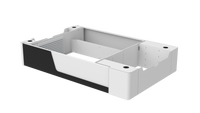
You get a generous 600 x 300mm bed — plenty of room for signs, plaques, batch production, and larger engravings. There's also a pass-through option and a riser base add-on, ideal for 40-oz tumblers or taller projects, giving you access to up to 6.25 inches of height. Add the conveyor feature and you can take on essentially unlimited-length projects.
A lot of desktop machines force you to constantly rearrange material or split jobs into multiple passes. The XRF gives you enough room to work comfortably while keeping a desktop footprint — a nice balance.
d. Autofocus and Camera
Once you've used a good autofocus system, it's hard to go back. The autofocus on the XRF has been reliable and consistent throughout my testing. If you accidentally focus in the wrong spot, it won't slam into the honeycomb the way it does on so many other machines.

You load the material, position your design, focus, and start the job — no feeler gauges, no manual adjustments. It's one of those features that fades into the background because it just works, which is exactly how it should be.
The built-in 5-megapixel camera system is another standout — it lets you visually position projects directly in LightBurn, saving time and reducing mistakes. Once you've used camera positioning well, you'll wonder how you lived without it. (I personally use absolute coordinates, so I don't rely on the camera much, but most users will find it valuable.)

e. Software and Workflow
For many of us, LightBurn is the standard, and the XRF was clearly designed with LightBurn users in mind. Setup is straightforward, operation feels familiar, and everything integrates cleanly. There was no learning curve coming from my existing machines — I was up and running jobs within 45 minutes of unpacking it.
f. Materials Tested
Over the past several months, I've engraved and cut a wide range of materials: wood, leather, acrylic, MDF, cardboard, cardstock, slate, painted wood, and various specialty materials. Results have been consistently excellent, especially on engraving, where RF technology really shows its strength.
A few examples worth mentioning:
Slate engraves very well, and yes, you can get genuinely dark burns — it just comes down to dialing in speed and power through a material test. (I wouldn't personally burn something that dark for a finished piece, but it shows what's possible.)
Fine detail is really the standout for me — photographs, fine text, detailed graphics all come out excellent, and the consistency from project to project has been outstanding. If your business revolves around personalized products, photographs, leather patches, detailed artwork, ornaments, or precision engraving, RF technology offers a real advantage, right down to very small scale work.
2. Let's Talk Price
RF lasers have traditionally been expensive — very expensive. For years, getting RF performance meant being ready to spend serious money. I remember not long ago when the RF tube alone cost more than this entire machine.
That's where the XRF changes the conversation. You're getting RF performance, premium features, autofocus, camera integration, professional build quality, high-speed operation, and a large working area — all at a price that's genuinely competitive against other desktop systems. Honestly, that value proposition is what got my attention in the first place. Not because it's the cheapest machine out there, but because of how much machine you get for the money.
3. Final Verdict
So after several months of testing, where do I land? Simple: I like this machine. Actually — I really like this machine.
The XRF has exceeded my expectations in nearly every category. The engraving quality is outstanding, the speed is impressive, the build quality is excellent, the feature set is comprehensive, and the overall value is hard to ignore.
Could there be a better RF laser on the market? Sure. But you'll spend considerably more to get it.
For makers, small business owners, side hustlers, and serious hobbyists looking for a desktop RF laser, the XRF deserves a spot at the top of your consideration list. It's one of the most impressive desktop laser systems I've tested, and one I have no problem recommending to viewers and friends alike.
If you'd like to learn more about the OneLaser XRF, check the links below.
Follow Rich on:
- Facebook: The Louisiana Hobby Guy
- Youtube: The Louisiana Hobby Guy