Liquid error (sections/image-banner line 171): invalid url input
If you’re shopping around for your first cheap laser engraver, those under-$100–$500 machines can look really tempting.
They promise:
- “Beginner-friendly” setup
- A tiny footprint on your desk
- The ability to do cheap laser engraving at home
On the surface, it feels like a smart, low-risk way to start.
But there’s a big question you really need to answer:
Is a cheap laser engraver actually worth it – or will it cost you more in the long run?
In this article, we’ll break down:
- When a cheap laser engraving machine might be okay
- The hidden costs nobody talks about
- Why so many makers regret starting too cheap
- What to look for instead – and why investing in a OneLaser machine is often the smarter move
- How OneLaser Financing helps you skip the “buy cheap, upgrade later” trap
1. Why Cheap Laser Engravers Look So Attractive
Let’s start with why people (maybe you) are drawn to a cheap CO₂ laser engraver in the first place.
- You want to try laser engraving without dropping thousands of dollars.
- You just want to engrave small things – keychains, tags, phone stands, tiny signs.
- You’re not sure yet whether this is a serious business or just a weekend hobby.
You’ve probably seen stories like this:

That’s the key:
A cheap laser engraving machine can be okay for:
- curiosity
- basic tinkering
- understanding the concept of laser engraving
…but it’s usually a terrible choice if you care about:
- reliability
- safety
- speed
- or actually making money.
2. What Are You Really Planning to Do With Your Laser?
Before you buy anything, ask yourself:
What kind of projects do I actually want to make?
If your answer is something like:
- “Just want my name on a keychain,” or
- “I’d like to engrave a small logo on a wooden box I already own,”
…then yes, even a cheap laser engraver might “work.”
But most people don’t stay there.
Once you get into it, you start wanting more:
- Custom signs and wall art
- Detailed acrylic projects
- Leather patches
- Tumblers and mugs
- Batch jobs for local businesses
- Etsy orders that need consistent, reliable quality
At that point, the “toy” laser you bought becomes a frustrating bottleneck.
3. The Hidden Limitations of a Cheap Laser Engraving Machine
Let’s break down the common downsides people discover after they hit “buy now”.
3.1 Tiny Workspace, Tiny Earning Potential
Most ultra-cheap engravers have:
- Very small mounting area (maybe 3″ x 5″)
- Even smaller engraving area (often around 1.5″ x 2″)
That means:
- No large signs
- No cutting boards
- No multi-piece batch jobs
- Very limited product range
If you want to sell products online or locally, that small bed size becomes a serious limitation fast.
3.2 Weak Lasers and Limited Materials
Cheap units usually have:
- Low-power diode lasers
- Inconsistent output
- No real cutting ability beyond paper, cardboard, or very thin wood
They struggle (or fail completely) with:
- Thick wood
- Acrylic (especially clear acrylic)
- Many coated or treated materials
So while they are promoted as “all-purpose,” in practice they are extremely limited.
Compare that with a proper CO₂ system or RF metal tube system from OneLaser, and the difference isn’t even close:
- OneLaser X Series: engineered for sharp engraving on wood, acrylic, leather, coated metals, and more.
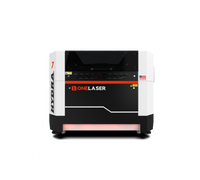
- OneLaser Hydra Series: designed for thick materials, deep cutting, and industrial-level workloads.
3.3 Constant Fixing, No Real Support
A common story from people who bought a cheap machine:

Cheap hardware often comes with:
- Minimal or confusing documentation
- Poorly written software
- No structured training
- Slow or non-existent technical support
So instead of spending time:
- designing products,
- engraving orders,
- and growing your business…
…you spend nights chasing wiring issues, misalignment, firmware quirks, and random failure.
3.4 Downtime: The Most Expensive “Hidden Cost”
If your laser is just a toy, downtime is annoying.
If your laser is part of your income, downtime is painful.
When a cheap CO₂ laser engraver or diode engraver breaks:
- Replacement parts may ship from overseas
- Shipping damage is common (especially with glass tubes)
- Language and time zone differences slow down support
- You may be down for 1–3 weeks or more
During that time:
- You can’t fulfill orders
- You may have to refund customers
- Your shop reputation suffers
Suddenly, that “cheap” engraver doesn’t look so cheap anymore.
3.5 Safety, Fumes, and Open Designs
Many low-cost machines are:
- Partially open
- Poorly enclosed
- Not engineered with serious safety or ventilation in mind
Laser engraving and cutting create:
- fumes,
- volatile organic compounds (VOCs),
- and fine particulates.
Without:
- a proper enclosure,
- fume management,
- and monitoring,
You can expose yourself and your household to unpleasant – and potentially harmful – air.
This is exactly where OneLaser stands out: the machines are designed from the ground up to be enclosed, controlled, and safer to operate when used correctly.
4. When a Cheap Laser Engraver Might Be “Good Enough”
To be fair, there are cases where a cheap laser engraving machine might make sense:
- You purely want to experiment with the idea of laser engraving.
- You have no intention of selling anything or running a business.
- You actually enjoy tinkering with electronics and don’t mind constant adjustments.
- You only want to engrave very small, light-duty items.
Think of it like buying a toy 3D printer: fine for curiosity, not great for production.
If that’s all you ever want, a cheap system might be okay.
But most makers don’t stay in “toy” mode for long. Once you see what’s possible, you’ll want:
- larger projects,
- better quality,
- real speed,
- and reliability.
That’s where cheap machines hit their ceiling.
5. What You Actually Need for Serious Laser Engraving
Instead of asking:
“What’s the cheapest laser engraver I can buy?”
A better question is:
“What kind of laser engraver do I need to safely, reliably, and profitably do the work I care about?”
For most serious hobbyists and small businesses, that means:
- Enclosed design for safety and fume control
- Decent work area so you’re not locked into tiny items
- Reliable, repeatable power for consistent results
- Good motion control (no wobble or vibration)
- Real software support (LightBurn compatibility, etc.)
- Camera, autofocus, and alignment tools that save time
- Responsive technical support when you need help
- A machine that can grow with your skills and business, instead of holding you back
These are exactly the areas where OneLaser focuses – not on being the cheapest option, but on delivering machines that actually work for makers and businesses.
6. Why Investing in OneLaser Is Smarter Than Going “Ultra-Cheap”
Let’s look at how OneLaser machines solve the problems that cheap systems create.
6.1 OneLaser X Series – Compact But Truly Professional
The OneLaser X Series is perfect if you want a desktop laser engraving machine that still delivers professional-level performance.

Key advantages over a cheap laser engraver:
✅ Enclosed, safer design
- Safety interlocks
- “No covered lids, no operation, no risks”
- Great for home workshops and small studios
✅ FumeGuard™ protection
- Industrial-first FumeWatch system
- Helps control harmful fumes and protects your space
✅ High-precision 5M camera
- See your entire work area clearly on screen
- Grab contours and place artwork exactly where you want
- No guesswork about job placement
✅ XFocus™ autofocus
- Integrated sensing and a motorized head
- Quick, accurate focusing with minimal manual adjustment
✅ Two powerful laser options
- XRF: 38W RF metal tube for ultra-sharp engraving with small spot size and long lifespan
- XT: 55W CO₂ glass tube for more powerful cutting on thicker materials
✅ Serious speed & precision
- Up to 1200 mm/s engraving on XRF, 1000 mm/s on XT
- Advanced DSP motion control for smooth, vibration-reduced motion
- Positioning accuracy of ≤0.01 mm
✅ Material versatility
- Acrylic, wood, leather, paper, glass, coated metals, and more
✅ Quiet & all-in-one
- Intelligent noise reduction (below ~65 dB)
- Cooling and airflow built into a streamlined chassis
✅ Real workflow features
- Pass-through capability with Base Boost™ for long materials
- Rotary compatibility for cups, bottles, and rings
- WiFi connectivity and intuitive touchscreen control
This is not a “cheap CO₂ laser engraver” – it’s a compact, professional-grade system that can actually support a side hustle or small business.
6.2 OneLaser Hydra Series – Built for High-Volume Production
If your goal is serious production work, the OneLaser Hydra Series is engineered for speed, power, and reliability.

Why it beats any cheap laser engraving setup:
✅ Large work areas
- From 28″ x 20″ up to 62.99″ x 39.37″
- Ideal for batch jobs, signs, furniture parts, and large fixtures
✅ Hybrid dual-laser capability
- High-wattage CO₂ glass tubes for powerful cutting
- RF metal tubes for ultra-fine, high-resolution engraving
- Switch between them without compromising quality
✅ Extreme speed & detail
- True 3G acceleration (29,430 mm/s²)
- Engraving speeds starting around 1200 mm/s
- Up to 2000 DPI for photorealistic engraving
✅ Industrial-level safety & enclosure
- Fully enclosed working area with sealed design
- Isolated internal circuits
- Multiple emergency shutoffs
- Over-temperature alerts that stop the laser for safety
✅ Advanced airflow & fume management
- Adjustable airflow for engraving vs. cutting
- Built-in solenoid for automatic air assist control
✅ Smart control & visibility
- OneTouch+™ touchscreen control
- Panoramic visibility into the work zone
- Built-in 5M camera for precise positioning across a large bed
✅ Designed for 24/7 use
- Industrial-grade cooling
- Structural engineering for long-term stability
For high-volume makers, the Hydra Series isn’t just “not cheap” – it’s a revenue engine designed to run day after day.
7. Why “Cheap Now, Upgrade Later” Is Usually More Expensive
Here’s the pattern many makers fall into:
- Buy a cheap laser engraver “just to try it.”
- Outgrow it or get frustrated with its limits and breakdowns.
- Spend months fixing, hacking, and replacing parts.
- Finally buy a serious machine anyway.
By that point, they’ve:
- Bought two machines
- Wasted a lot of material on failed jobs
- Lost time fighting hardware instead of growing their skills or business
If you know your goal is:
- selling engraved products,
- building a local engraving service,
- or running a serious workshop,
then it often makes more sense to skip the ultra-cheap phase and invest in a machine that can actually grow with you.
8. How OneLaser Financing Helps You Avoid the Cheap Trap
At OneLaser, we know a quality laser isn’t “cheap gear” , it’s an investment. That’s why we offer flexible financing options so you can start creating (or scaling your business) now, not “someday”.
8.1 OneLaser Business Financing (Best for Small Businesses)
Perfect if you want to upgrade equipment without draining your cash.
- $0 down payment – start using your machine right away
- Deferred payments for 3 months – no payments while you ramp up
- Interest rate subsidies on equipment over $5,000 and $10,000 – your effective APR can go as low as 0% depending on credit and terms
- Flexible terms up to 60 months
- No penalty for early payoff
Ideal for serious makers and small businesses investing in X Series or Hydra machines.
8.2 Shop Pay – Simple Installments at Checkout
Just checking out on the website and want easy monthly payments?
Shop Pay lets you split your OneLaser purchase into:
- Short-term or long-term installments
- Rates from 0%–36% APR, depending on eligibility and order size
- Options like Pay in 4 or 3, 6, 12 monthly payments (subject to approval)
You apply right at checkout and see your options instantly.
8.3 ClickLease – Great for Larger, High-Powered Systems
If you’re financing bigger machines (like the Hydra series) or want a business-style lease:
- No large upfront payment – just a small signing fee
- Monthly payments tailored to your term and credit profile
- Designed specifically for business equipment financing and cash-flow management
ClickLease is a strong option if you’re building or scaling a production-focused laser business.
9. So… Is Getting a Cheap Laser Engraver Worth It?
Let’s sum it up.
A cheap laser engraver might be worth it if:
- You only want to experiment casually
- You don’t care about speed, size, or reliability
- You’re okay with constant tinkering and repairs
- You never plan to sell products or rely on the machine
But if you’re serious about:
- creating high-quality work,
- staying safe,
- avoiding downtime,
- and possibly turning your skills into income…
then “cheap” quickly becomes the most expensive way to start.
A better path is to:
- Think about the projects you truly want to make
- Choose a machine that can handle those properly
- Look at the OneLaser X Series for compact pro work
- Consider the OneLaser Hydra Series for high-volume production
- Use OneLaser Financing to make a real machine realistically affordable
In other words:
Don’t just ask, “What’s the cheapest laser engraver?”
Ask, “What laser engraver will still be serving me well 2–5 years from now?”
That’s the mindset shift that turns a laser engraver from a toy into a real tool – and that’s exactly where OneLaser is built to shine.