Liquid error (sections/image-banner line 171): invalid url input
Choosing the right CO₂ laser wattage is one of the most important decisions you’ll make when buying a laser engraver. Many buyers focus only on price, but laser engraver power comparison is really about matching the right power level to your materials, production goals, and workflow.
A 55W laser can be perfect for detailed engraving and light cutting, while a 150W machine is built for heavy-duty cutting and industrial output. Going too small can slow your business down. Going too big can waste money and reduce engraving quality if misused.
In this guide, we’ll break down 55W vs 80W vs 100W vs 130W vs 150W CO₂ lasers, explain laser power for engraving and cutting, and help you confidently choose the right machine for your needs.
Key Takeaway
When choosing a CO2 laser power level, match it to your primary tasks:
- 55W: Best for beginners, light engraving, and thin cutting—affordable entry with strong value for hobbies or small side hustles.
- 80W: Sweet spot for growing businesses—balanced engraving precision and moderate cutting depth for everyday production.
- 100W: Versatile mid-range power—handles diverse materials and thicker cuts efficiently, ideal for workshops with mixed workloads.
- 130W: High-power option for demanding cutting—faster throughput on thick materials, suited for batch signage or decor.
- 150W: Maximum industrial power—deep, fast cuts on very thick stock, perfect for high-volume or large-format factory-level operations.
1. Why Laser Power Matters More Than You Think
Laser wattage affects far more than cutting thickness. It directly impacts:
- Engraving detail and contrast
- Cutting speed and consistency
- Material range
- Production throughput
- Long-term operating costs
Higher power doesn’t automatically mean “better.” The key is using enough power to work efficiently without sacrificing control.
That’s why understanding laser engraver power requirements is critical before you buy.
2. Understanding Laser Power for Engraving vs Cutting
One of the most common misconceptions is that you need high wattage for engraving. In reality:
- Engraving uses low power, even on high-watt machines
- Cutting benefits most from higher wattage
A 150W laser engraves using the same 10–30% power range as a 55W laser—but it cuts much faster and deeper.
So when comparing machines, ask:
“What materials and thicknesses do I plan to cut?”
Not just:
“How powerful is the laser?”
3. Overview: CO₂ Laser Wattage Levels Explained
Let’s break down each wattage tier and what it’s best suited for.
a. 55W CO2 Lasers: Entry-Level Power for Beginners and Light Work
Starting with the lowest in our laser engraver power comparison, a 55W CO2 laser is an excellent entry point for hobbyists or small-scale operations. This wattage provides enough laser engraving power for detailed work on thinner materials without overwhelming your setup or budget.
Key Capabilities
- Engraving: Excels at laser power for engraving on wood (up to 1/4" deep), leather, paper, and coated metals. You can achieve fine details like text or logos at speeds up to 1000 mm/s, but expect slower passes for photorealistic images to avoid charring.
- Cutting: Handles laser power for cutting on acrylic (up to 1/4" thick), thin wood (1/8"), and fabric. It's not ideal for thick materials—multiple passes may be needed, increasing time.
- Applications: Perfect for personalized items like keychains, phone cases, or custom stamps. If you're starting a laser engraving business, this power level keeps costs low while testing the market.
Pros and Cons
- Pros: Affordable (machines start around $2,000-5,000), low laser engraver power requirements (standard outlet), compact size, and beginner-friendly. Minimal heat buildup means easier maintenance.
- Cons: Limited on thicker materials; slower for bulk jobs. If volume increases, you'll outgrow it quickly.
At OneLaser, our XT Series embodies this with its 55W CO2 glass tube model. Compact at 23.6 x 11.8 inches, it's a desktop laser engraver/cutter that's rotary-ready for tumblers and compatible with LightBurn software. It's ideal for home offices, with safety features like enclosures and low maintenance—aligning with our value of user-friendly innovation.
Who Should Choose 55W?
If your focus is experimentation or low-volume personalization, go for 55W. It's a smart pick for side hustles on Etsy, where laser engraving power for gifts trumps heavy cutting.

b. 80W CO2 Lasers: Balanced Power for Growing Needs
Moving up in the laser engraver power comparison, 80W strikes a sweet spot between affordability and capability. This wattage boosts laser power for cutting while maintaining precision for engraving, making it versatile for small businesses.
Key Capabilities
- Engraving: Strong laser engraving power for deeper etches on wood (up to 3/8"), acrylic, and glass. Speeds reach 1200 mm/s for detailed work, with cleaner edges on denser materials.
- Cutting: Effective cutting laser power for acrylic (up to 1/2" in one pass), wood (1/4"), and leather. Fewer passes mean faster production compared to 55W.
- Applications: Great for signage, awards, and custom apparel. Businesses handling 20-50 orders weekly will appreciate the efficiency.
Pros and Cons
- Pros: Good balance of speed and depth; handles moderate volumes. Laser engraver power supply is manageable (often 110V-220V hybrid).
- Cons: Still requires multiple passes for very thick materials; higher energy use increases cooling needs.
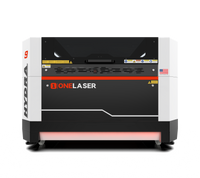
OneLaser's Hydra 7 fits here, with an 80W CO2 option in a 27.56 x 19.69-inch bed. It's industrial-grade, with passthrough for long materials and dual-laser hybrid potential—perfect for scaling from hobby to pro, backed by our U.S. support team.
Who Should Choose 80W?
If you're transitioning from side hustle to steady production, 80W offers reliable high power laser engraver performance without excessive costs.

c. 100W CO2 Lasers: Mid-Range Power for Versatile Production
In the middle of our laser engraver power comparison, 100W provides robust laser power for engraving and cutting, ideal for workshops with diverse projects.
Key Capabilities
- Engraving: High laser engraving power for intricate designs on stone, ceramics, and anodized aluminum. Faster speeds (up to 1500 mm/s) reduce job times.
- Cutting: Solid laser power for cutting through acrylic (3/4"), plywood (1/2"), and MDF. Single-pass efficiency shines on medium-thickness jobs.
- Applications: Suited for custom furniture accents, promotional items, and packaging prototypes.
Pros and Cons
- Pros: Excellent for mixed workflows; better heat management allows longer runs. Laser engraver power requirements include stable 220V.
- Cons: Higher upfront cost; more maintenance for the laser engraver power supply.
Our Hydra 9 leverages 100W CO2 for a 35.43 x 23.62-inch area, with rotary support for bulk tumblers—embodying our commitment to productivity.
Who Should Choose 100W?
For makers handling varied materials and growing orders, 100W is a versatile upgrade.

d. 130W CO2 Lasers: High Power for Demanding Cuts
Nearing the top of the laser engraver power comparison, 130W is a high power laser engraver for serious production, emphasizing cutting laser power.
Key Capabilities
- Engraving: Ample laser power for engraving on tough materials like granite or thick leather, with uniform depth.
- Cutting: Powerful for acrylic (1"), hardwood (3/4"), and plastics—ideal for industrial parts.
- Applications: Architectural models, signage, and bulk manufacturing.
Pros and Cons
- Pros: Fast throughput; handles thick stock efficiently.
- Cons: Increased power draw; needs advanced cooling.
The Hydra 13 offers 130W in a 51.18 x 35.43-inch bed, with industrial features for 24/7 use.
Who Should Choose 130W?
If cutting dominates your workflow, 130W boosts efficiency.

e. 150W CO2 Lasers: Maximum Power for Industrial-Scale Work
At the peak of our laser engraver power comparison, 150W is for heavy-duty tasks, maximizing laser power for cutting.
Key Capabilities
- Engraving: Overkill for most engraving but excels on large-scale projects.
- Cutting: Supreme cutting laser power for acrylic (1.5"+), metals (with prep), and composites.
- Applications: Factory-level output like displays or prototypes.
Pros and Cons
- Pros: Ultimate speed and depth; batch-friendly.
- Cons: High laser engraver power requirements (dedicated circuits); pricier.
OneLaser's Hydra 16 provides 150W in a massive 62.99 x 39.37-inch bed, with hybrid options for versatility.
Who Should Choose 150W?
For high-volume factories, 150W is the endgame.

f. CO2 Laser Power Comparison Table
|
Wattage |
Best For |
Max Cutting Thickness (Approx., Single Pass) |
Engraving Quality |
Power Requirements |
Typical Applications |
OneLaser Example |
|
55W |
Beginners, light engraving & thin cuts |
Acrylic: 1/4" (6mm) Wood: 1/8" (3mm) |
Excellent detail on thin materials |
Standard 110V outlet |
Personalized gifts, tumblers, small signage |
XT Series (desktop, affordable entry) |
|
80W |
Growing small businesses, balanced use |
Acrylic: 1/2" (12mm) Wood: 1/4" (6mm) |
Very good depth & speed |
110V–220V |
Awards, apparel, moderate signage |
Hydra 7 (27.56 × 19.69 in bed) |
|
100W |
Versatile workshops, mixed workloads |
Acrylic: 3/4" (20mm) Wood: 1/2" (12mm) |
High precision with faster runs |
Usually 220V |
Promotional items, packaging, furniture accents |
Hydra 9 (35.43 × 23.62 in bed) |
|
130W |
Demanding cutting, batch production |
Acrylic: 1" (25mm) Wood: 3/4" (18mm) |
Strong depth, consistent batches |
220V dedicated |
Architectural models, industrial signage |
Hydra 13 (51.18 × 35.43 in bed) |
|
150W |
Industrial/heavy-duty, large-format |
Acrylic: 1.5"+ (38mm+) Wood: 1" (25mm) |
Powerful for large-scale engraving |
220V heavy-duty |
Factory output, displays, thick prototypes |
Hydra 16 (62.99 × 39.37 in bed) |
Key Factors in Laser Engraver Power Comparison: Making the Right Choice
When comparing, consider:
- Materials and Thickness: Lower wattage for thin engraving; higher for thick cutting.
- Production Volume: Entry-level for hobbies; high power laser engraver for businesses.
- Budget and Space: Factor in laser engraver power supply costs and machine size.
- Software and Accessories: Ensure compatibility with rotaries or software like LightBurn.
- Safety and Maintenance: Higher power needs better ventilation.
OneLaser's range, from XT Series (55W) to Hydra models (80W-150W), covers all, with financing via Shop Pay.
4. Laser Engraving Power vs Laser Cutting Power (Important Distinction)
One critical concept many buyers miss:
- Engraving rarely needs more than 30% power
- Cutting benefits directly from higher wattage
That means:
- A 150W laser engraving at 15% behaves similarly to a 55W laser engraving at 40%
- Higher wattage gives you speed headroom, not forced intensity
This flexibility is why many professionals choose higher power machines but engrave gently.
5. Electrical & Power Supply Considerations
Higher wattage lasers require:
- Stable laser engraver power supply
- Adequate electrical circuits
- Reliable cooling systems
Before upgrading power, confirm:
- Your shop’s electrical capacity
- Ventilation and exhaust setup
- Chiller requirements (especially above 100W)
6. How to Choose the Laser Engraver That’s Right for You
Ask yourself these questions:
- What materials will I engrave most often?
- What thickness will I cut regularly?
- How many hours per day will the machine run?
- Do I prioritize detail or speed?
- Will my business scale in the next 1–3 years?
If engraving is your core business → lower wattage may be ideal.
If cutting drives revenue → higher wattage pays off quickly.
7 FAQs
What is a good wattage for a laser engraver?
For most users, 80W–100W offers the best balance of engraving quality and cutting speed.
What power laser engraver do I need?
- Hobby & engraving focus: 55W
- Small business & décor: 80W
- Full-time production: 100W+
- Industrial cutting: 130W–150W
Final Thoughts
A proper laser engraver power comparison isn’t about buying the biggest machine—it’s about buying the right one.
If you engrave fine details, lower wattage gives control. If you cut thick materials daily, higher wattage saves time and money.
Understanding laser engraving power, laser power for cutting, and real-world production needs ensures your laser works for your business—not against it.
When chosen correctly, the right CO₂ laser wattage becomes a long-term investment that scales with your creativity and growth.