Liquid error (sections/image-banner line 171): invalid url input
In today's competitive market, eye-catching signs can make a big difference for small businesses, events, weddings, cafes, and restaurants. A reliable laser cutter for signs is a must-have tool, whether you're making custom acrylic signs for a small cafe or complex event signs for a wedding.
These machines let you make professional-quality signs quickly, accurately, and in a variety of ways. They turn simple materials into beautiful visuals that draw in customers and make lasting memories.
Yes, a laser cutter can be used to make signs. Laser cutters are great for engraving, cutting, and etching a wide range of materials. This makes them perfect for making everything from directional signs to branded displays.

Key Takeaway
A laser cutter for signage is a powerful investment for small businesses, events, weddings, cafes, and restaurants because it enables fast, precise, and fully customized sign production in-house.
With the right machine, you can work with popular signage materials like acrylic and wood, achieve clean professional finishes, reduce outsourcing costs, and respond quickly to customer or event demands.
Choosing a laser with the right power, work area, material compatibility, speed, and safety features ensures long-term ROI and creative flexibility, helping your signage stand out and your business grow.
1. Why Invest in a Laser Cutter for Signage?
Signage is more than just useful for small business owners, event planners, wedding decorators, cafe owners, and restaurant managers; it's also a powerful branding tool.
With a laser cutter for signs, you can make custom pieces in-house, which saves money and time compared to outsourcing.
Think about making personalized welcome signs for weddings, menu boards for cafes, or event banners with polished, professional finishes.

A laser cutting machine is great for making signs because it can handle a wide range of tasks. Small businesses can make signs for their stores, labels for their products, or even things to sell.
You can make detailed decorations like table numbers and backdrops for events and weddings. Durable, weatherproof signs that improve the atmosphere and flow of customers are good for cafes and restaurants.
2. Key Features to Consider in a Signage Laser Machine
When selecting a laser cutter for signage, focus on signage laser machine must-have features that align with your workflow. Here's what matters most:
- Power and Laser Type: CO2 lasers are popular for cutting non-metals like acrylic and wood, offering clean edges. RF metal tubes provide finer engraving for detailed designs. Look for hybrids that combine both for ultimate flexibility.
- Work Area Size: For small businesses or events, a compact bed (around 24x12 inches) suffices. Larger operations, like restaurants needing big menu boards, may require 60x40 inches or more.
- Speed and Precision: High engraving speeds (up to 1200 mm/s) and accuracy (≤0.01 mm) ensure quick, detailed work without errors.
- Material Compatibility: The machine should handle best materials for laser signage, including acrylic, wood, leather, and coated metals.
- Software and Ease of Use: Compatibility with user-friendly software like LightBurn is crucial for beginners.
- Safety and Maintenance: Enclosed designs, cooling systems, and low-maintenance components keep operations smooth.
- Add-ons: Rotary attachments for cylindrical signs (e.g., for cafe mugs) and passthrough capabilities for oversized materials.
These event signage laser features to consider will help you evaluate options. For instance, if you're focusing on high-volume production, prioritize industrial-grade cooling to prevent downtime.
Need a Machine? Talk to Our Experts!
3. Best Laser Engraving Materials for Signage Business
Choosing the right materials for laser engraving signs is just as important as the machine itself. The right materials make sure that the project lasts, looks good, and doesn't cost too much. Here are some of the best options:
- Acrylic: Ideal for illuminated signs due to its transparency and polishability. A good acrylic signage laser cutter can achieve flame-polished edges without post-processing.
- Wood: Perfect for rustic cafe or restaurant signs. Options like plywood or MDF offer warmth and are easy to engrave.
- Leather and Fabric: Great for soft signage like event banners or wedding decor.
- Coated Metals: For durable outdoor signs, these provide a premium look.
- Plastic and Rubber: Affordable for temporary event signage.
When you ask, "What is the best laser for acrylic signs with smooth edges?" Choose CO2 lasers with enough power (80W+) because they melt the edges smoothly. For a laser machine that makes signs, make sure the materials you use are compatible so they don't warp or give off fumes.
Mixing materials in a sign business makes them more valuable. For example, using acrylic overlays on wood bases for weddings or engraved metal plaques for restaurants.

4. How to Choose a Laser for Custom Wedding Decor and Event Signage
You need a machine that is accurate, flexible, and easy to set up to make custom wedding decorations and event signs. How do you pick a laser for custom wedding decorations and event signs?
First, look at how much you have: A desktop model works for events that happen once in a while, but for events that happen a lot, go with an industrial model.
Key considerations:
- Precision for Details: Weddings often feature intricate fonts or patterns—look for fine laser spots (0.07 mm).
- Rotary Capabilities: Engrave cylindrical items like champagne flutes or candle holders.
- Speed for Deadlines: Events have tight timelines, so high-speed engraving is essential.
- Portability: Compact machines are easier to transport to venues.
The best laser for event signs is one that works well and doesn't cost too much. For instance, a 55W CO2 model can handle most decorating needs, and hybrids add engraving precision.

5. What’s the Best Laser for Custom Signage in Restaurants and Cafes?
Restaurants and cafes need signs that are safe for food, last a long time, and look good. What is the best laser for making custom signs for restaurants and cafes?
Look for machines that can cut thick materials for menu boards and engrave information for table signs.
Recommendations:
- Material Focus: Acrylic for backlit menus, wood for rustic vibes.
- Size and Power: Larger beds for big signs; 100W+ for cutting thick acrylic.
- Hygiene and Safety: Enclosed systems to contain fumes in kitchen-adjacent spaces.
A hybrid model of a cafe signage laser cutter lets you switch between cutting boards and engraving logos on coasters. Make sure that long banners can pass through for laser-cut custom signs for restaurants.

6. What Features Matter Most for a Laser Used in Signage Production?
What features are most important for a laser used to make signs, besides the basics?
Reliability is the most important thing because downtime costs money. Industrial cooling, strong motion control, and warranty coverage are all must-haves.
Other priorities:
- Automation: Conveyor feeders for batch runs.
- Software Integration: For seamless design-to-production.
- Support: U.S.-based help for quick resolutions.
In production, scalability matters: Start small and upgrade as your signage business grows.
7. Top Recommendations: OneLaser's Solutions for Signage
At OneLaser, we're passionate about empowering creators with top-tier laser technology. Our American brand focuses on quality, innovation, and community support, making us a go-to for signage needs.
OneLaser X Series: Ideal for Small Businesses, Events, Weddings, Cafes, and Restaurants
The OneLaser X Series is a compact laser cutter for signage designed for desktops, perfect for small-scale operations. With a 23.6 x 11.8 inch work area, it's space-efficient yet versatile.
- Models: XRF (38W RF) for sharp engraving; XT (55W CO2) for stronger cutting.
- Why It's Great for Signage: Precision (0.07 mm spot) for detailed wedding signs; speed (up to 1200 mm/s) for event deadlines. Passthrough add-on handles longer materials.
- For Acrylic Signage: The CO2 option delivers polished edges, making it the best laser for acrylic signage with polished edges.
- Custom Applications: Engrave cafe menus or restaurant plaques effortlessly. Rotary ready for mug signage.
Priced affordably with a 3-year warranty, it's beginner-friendly with LightBurn compatibility. Finance via Shop Pay and more for easy entry.
Discover the OneLaser X Series!

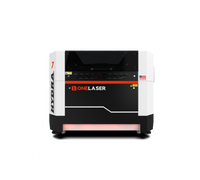
OneLaser Hydra Series: For High-Volume Signage Production
For growing businesses or large events, the Hydra Series is an industrial laser cutting machine for signage. With bed sizes up to 63x39 inches, it's built for scale.
- Models: Hydra 7 (80W CO2 + 38W RF) to Hydra 16 (150W CO2 + 38W RF).
- Key Strengths: Hybrid lasers for cutting thick acrylic and engraving details; passthrough for oversized signs.
- Signage-Specific Perks: Full rotary for bulk cafe items; high-speed control for consistent restaurant batches.
This series excels in laser cut custom signage for restaurants and event signage laser features to consider, like 24/7 cooling.
Both series align with our mission: Delivering breakthroughs that drive productivity. Our U.S. team provides elite support, ensuring your signage projects succeed.

8. Tips for Getting Started with Your Laser Cutter for Signage
Once you've chosen your machine, optimize it:
- Design Software: Use vector files for clean cuts.
- Material Testing: Always test settings to perfect edges.
- Maintenance: Clean lenses regularly for longevity.
- Safety: Use ventilation and PPE.
For small businesses, start with simple projects like event signage to build skills.
9. Cost Considerations and ROI
A laser cutter for signage ranges from $2,000 for desktops to $10,000+ for industrial machines.
Factor in ROI: In-house production can pay off in months through saved outsourcing costs. For weddings or cafes, custom signage commands premium prices.
Financing options make it accessible—OneLaser partners with ClickLease for flexible plans.
Conclusion
Selecting the best laser cutter for signage transforms your small business, events, weddings, cafes, or restaurants. By prioritizing features, materials, and reliable brands like OneLaser, you'll create standout signs that captivate. Whether it's the Desktop X Series for starters or the powerful Hydra for pros, invest in quality for lasting impact.
Ready to get started? Explore OneLaser's lineup and contact our team for personalized advice. Your next signage masterpiece awaits!