Liquid error (sections/image-banner line 171): invalid url input
Personalized home decor is very popular right now. Custom welcome door mats are some of the most popular items. These things don't cost much and make a lot of money.
Knowing how to make a laser-engraved door mat is a useful skill for makers and business owners. It mixes old-fashioned skills with new technology.
This article will show you step by step how to personalize your door mat, from getting ready to making money with your business.
Key Takeaway
- Material: Use 18x30 inch rubber-backed coir mats.
- Laser Settings: Try 1200 mm/s speed and 60% power on a large CO2 laser.
- Setup: Pin the edges flat with strong magnets so it doesn't move.
- Safety: Use air assist and heavy ventilation. Coir is highly flammable, so never leave the laser unattended.
- Cleanup: Scrub with a stiff brush and vacuum away the burnt dust.
1. Why Laser Engrave Doormats?
A lot of makers start with small things. They carve phone cases, coasters, and keychains. Moving to bigger formats, like custom welcome door mats, opens up new markets.
People think door mats are very valuable. They make great gifts for holidays, weddings, and housewarmings. Companies also like them for branding. If you know how to make laser-engraved door mats, you can reach a lot of different types of customers.
Customization is the most important part of this chance. People want designs that are different from each other. They want their last name, a picture of their dog, or a funny quote on their door. A laser engraver makes it easy for you to offer this service.

2. Sourcing the Right Mat for Laser Engraver
You need to know what the material is before you start engraving. Not all mats can be used with a laser engraver. Coir is the most common and highly recommended material for regular welcome mats.
Coir is a natural fiber that sounds like "COY-er." It comes from the outside of a coconut. This is why it is the standard:
- Aesthetic Contrast: Coir is a light brown color. The laser burns the top fibers when you engrave it. This makes a mark that is deep brown or even black. The difference is great.
- Scraping Power: The bristles are stiff and close together. They work very well to scrape dirt and debris off of shoes, which makes the mat very useful.
- Durability: Coir can stand up to the weather and keeps its shape. A good laser-engraved door mat will last for a long time.
When you want to personalize door mat blanks, make sure you choose one with a good non-slip rubber backing.
The coir density must also be consistent for business reasons. Some cheaper mats are not the same thickness all over, which can make it hard to set engraving parameters across the whole surface.

3. How to Make Custom Door Mats
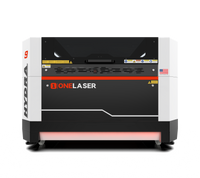
Now, let's take a look at how things work in real life. We will use the 18 x 30-inch coir mat and the Hydra 9, which runs on the LightBurn software.
Step 1: Material Preparation and Setup
The setup is the most important part of a good project. The mat must be completely safe on the machine bed.
- Clean the Bed: Make sure there is no debris from previous jobs on the Hydra 9 laser bed.
- Put the Mat Down: Carefully put the 18 x 30-inch coir mat on the slat or honeycomb bed.
- Keep it in Place: Coir is light, and its backing can sometimes curl. To keep the mat in place, use strong magnets at the corners and along the sides. This is very important. The design will be ruined if the mat moves while the job is going on.

Step 2: Importing the Design and Setting Parameters
Now, let's open LightBurn and prepare the design for the mat.
- Design Creation: Make your own text (like "OneLaser Crafted to Last") and Eagle symbol. Use bold fonts and stay away from very fine lines because coir fibers don't show small details as clearly as wood or metal.
- Import and Align: Bring in the file and resize it so that it fits the 18 x 30-inch mat area in LightBurn. Make sure the design is perfectly centered by using the alignment tools.
- Set the Laser Parameters (the Engrave Settings): This is the most important step to getting the deep, dark look that you see in high-quality professional work. On the Hydra 9, we will use the specific engrave settings that work best for coir.
|
Setting |
Value |
Why This Value? |
|
Speed |
1200 mm/s |
Coir requires faster speeds to avoid starting small fires. This speed provides clean cuts. |
|
Max Power |
60% |
This provides sufficient heat to deeply burn the fibers, creating maximum contrast. |
|
Min Power |
60% |
When speed is constant (1200 mm/s), setting Min Power same as Max Power ensures a uniform burn depth across the entire design area, regardless of speed changes in corners. |

Step 3: Start Laser Engrave
Everything is ready. Press Start to begin the job after checking the framing.

Keep an eye on the job: Never leave a laser engraver alone, especially when it's burning natural materials that can catch fire, like coir.
Check the depth and alignment of the laser on the first few passes.

4. Customizing Your Designs for Door Mats
When making designs for laser-engraved door mats, think about the material. What works on wood or glass might not work on coir.
- Bold is Better: Use big, heavy fonts. Small, detailed writing can get lost or look messy.
- Thick Lines: Logos and other graphical elements should have thick lines. The rough coir fibers can't hold up very high-resolution details.
- Negative Space: "Reverse engraving" is a great way to get a really dramatic look. Make your background look burnt, but leave the letters or pictures light brown. This takes more power, but it makes a one-of-a-kind product.
- Examples of Customization: You can offer last names with monograms, the year the family was founded, the names of all family members (including pets), or even a personalized greeting like "Welcome Home" in more than one language.

5. Tips for Custom Welcome Door Mats Business
If you are a business owner looking to scale, these tips are critical.
a. Test Small Sections First
Don't start with a whole 18 x 30-inch mat until you've tried out your settings. Cut small test pieces from an old or scrap mat to get better at your speed and power. It's a good idea to test coir density from time to time because it can change.
b. Focal Depth is Everything
You have to re-focus your laser head every time you switch materials. You need to change the laser's Z-axis (bed height or focal length) because coir mats are thick (usually 0.75 to 1 inch). Make sure the laser's focus is on the coir bristles, not on the rubber backing or the bed below.
c. Log All Parameters
Makers should keep a detailed logbook. Write down the exact brand of mat, the thickness of the material, and the best laser settings (Speed: 1200, Power: 60/60).
This log will save you hours of trouble when you need to place the same order again months later.
6. Troubleshooting Common Issues
Even with the best setup, you will encounter challenges.
Issue 1: Engrave is Too Light
Solution: Check the focal depth to fix the problem. Check that the laser head is the right distance from the top of the bristles. If that's true, try raising your power (like to 70%) or lowering your speed a little (like to 1000 mm/s).
Issue 2: Mat is Burning or Smoking excessively
Solution: Try increasing the speed (to 1300 mm/s) or lowering the power (to 50%) to fix the problem. Check that your air assist is set to high; it needs to blow air hard right at the burn point. Make sure there is enough air flow.
Issue 3: Text or Lines are Distorted or Jagged
Solution: Check the mechanical tension of your laser's belts to fix the problem. A CO2 laser moving a big head at 1200 mm/s makes a force, but loose belts make it less precise.
Also, make sure that the magnets on your mat are holding it down and that it isn't moving.
7. Growing Your Custom Welcome Door Mats Business
a. Finding Your Niche
Once you are comfortable making custom welcome door mats, you can start specializing.
- Pet-Themed Mats: Designs that include the family pet (e.g., "The dogs and their humans live here").
- Real Estate Gifts: Collaborate with local real estate agents to provide customized closing gifts with the client's new home coordinates or name.
- Corporate Branding: Large businesses often want heavy-duty, customized mats for their building entrances.
- Local Businesses: Reach out to boutiques or local breweries for customized storefront mats.

b. Sourcing for Businesses
To maximize profitability, you cannot rely on buying mats at full retail price.
- Home Goods Stores: For testing and small orders, local home goods stores are a good source. Look for plain, unlabeled mats.
- Wholesale Suppliers: Once your volume increases, source blank mats from wholesale suppliers. This requires ordering in bulk (pallets) but significantly drops the cost per mat, increasing your margin. Ensure they supply unbacked or rubber-backed coir specifically for industrial applications.
c. Post-Engrave Care Instructions for Customers
Give your custom mats a professional finish by including care instructions for your customers. Suggest they place the mat in a covered location, avoid power washing the coir fibers, and regularly shake out the dust. This helps ensure the laser engraving door mats remain dark and functional.
Conclusion
Making a personalized welcome laser engraved door mat is an easy and profitable skill for makers and business owners.
This guide went over the whole process, beginning with the exact 18 x 30-inch coir blank and Hydra 9 laser. You learned the most important engrave settings (Speed: 1200, Power: 60/60) that give you the best mix of speed and dark, high-contrast results.
When working with flammable organic materials like coir, safety should always come first. You must have air assist, good ventilation, and constant monitoring. You can start customizing door mat orders and building a successful business once you know how to test small areas, master focal depth, and find high-quality blank mats.
FAQs
Here are answers to some of the most common questions from makers and business owners.
What is the typical standard door mat size for laser engraving?
The most common size for a custom door mat is 18 by 30 inches (about 45 by 75 cm). This size is just right for most single-family home doors.
It is also the right size for laser engraving because it fits on most professional laser machine beds (like the OneLaser Hydra 9) without any extra work. Another common size is 24 x 36 inches, but it needs a little more room for the laser to work.
Where should makers and businesses source mats for laser engraving?
New makers can get plain, unbranded blank coir mats from home goods stores, big hardware stores like Home Depot or Lowe's, and online stores like Amazon.
If you want to grow your business, you should start ordering coir mats in bulk from wholesale suppliers that focus on commercial door mats. Buying in bulk lowers your material costs a lot and makes sure that the quality stays the same.
Are laser engraving door mats considered a significant fire hazard?
Yes, laser-engraved coir door mats are a real fire risk and need to be handled with care. Coir is made from natural fibers that catch fire very easily when exposed to high laser heat.
The thick bristles can easily catch fire from small embers. To lower this risk, you should always use air assist, which blows air directly at the burn area to help put out any sparks and spread out any flammable debris.
Also, you should never leave your laser machine alone while it's engraving, and you should always have a fire extinguisher close by.