Liquid error (sections/image-banner line 171): invalid url input
Laser engraving is one of the most exciting, versatile, and fast-growing forms of digital fabrication. Makers use it for woodworking, leather goods, signage, trophies, jewelry, tumblers, acrylic décor, and even mass production. But with the rise of home laser engravers, hobby CO₂ machines, and powerful industrial systems, a common question appears:
Is laser engraving dangerous?
Laser engraving can be dangerous if you use poor equipment, skip safety steps, engrave unsafe materials, or operate in an unventilated space.
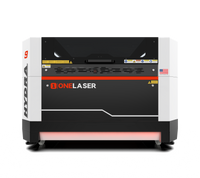
But with proper safety measures, and especially with fully enclosed systems like the OneLaser X Series and OneLaser Hydra Series, laser engraving becomes a safe, predictable, and manageable workshop activity.
In this in-depth guide, we’ll break down every major risk, explain why these dangers happen, and show you how to stay safe with practical solutions, including real examples, scientific insights, and best practices used in professional shops.
1. Is Laser Engraving Dangerous? Understanding the Real Risks
Laser engraving has been used since 1965 in aerospace, industrial manufacturing, medical devices, and precision engineering. Today, it’s increasingly used in schools, small workshops, home businesses, and maker studios.
But as expert sources emphasize:
- Laser beams produce hazardous laser-generated air contaminants (LGACs) during cutting or engraving.
- These gases expand rapidly, carrying toxic chemicals, ultrafine particulates, and volatile organic compounds (VOCs).
So what are the real dangers?
Below are the core risks of laser engraving that every operator should understand.
2. Major Dangers of Laser Engraving (and Why They Happen)
2.1 Eye Injuries
Laser beams, both direct and reflected, can permanently damage vision.
Why it’s dangerous:
- CO₂ lasers (10,600 nm) can burn the cornea.
- Fiber lasers (1064 nm) can penetrate deeper and scar the retina.
- Specular reflections (from metal surfaces) can bounce unpredictably.
Who is at highest risk?
Open-frame machines, DIY diode engravers, and improperly shielded fiber lasers.
Safe solution:
- Use enclosed, interlocked systems (Class 1), such as OneLaser X Series or Hydra Series.
- Wear wavelength-matched laser safety goggles if the beam is ever exposed.
→ With enclosed OneLaser models, normal operation does NOT require goggles.

2.2 Skin Burns
Laser beams concentrate heat enough to burn wood, metal, acrylic, and human skin.
Why it’s dangerous:
Even diffuse or scattered reflections carry significant heat.
Safe solution:
- Keep hands out of the engraving chamber.
- Avoid reaching inside until the machine fully stops.
- Wear natural-fiber clothing (cotton), not synthetics that melt.
2.3 Toxic Fumes & Laser-Generated Air Contaminants (LGACs)
This is the biggest hidden danger of laser engraving.
According to Carnegie Mellon University:
Laser cutting can generate harmful particles and gases that are dangerous without proper ventilation.
Examples:
- PVC / Vinyl → hydrochloric acid + chlorine gas
- Painted/Coated materials → cyanide precursors, VOCs
- Leather → toxic dyes, chromium compounds
- Composites → epoxies, resins, microplastics
- Wood with finishes → aldehydes and carcinogenic particulates
Safe solution:
Use:
- HEPA filtration + activated carbon
- Proper air assist
- Exterior venting if required
- Fully enclosed machines with sealed filtration systems
The OneLaser X Series and Hydra Series include:
- FumeGuard™ air monitoring
- Fully enclosed chambers
- Professional-grade ventilation

2.4 Fire Hazards
Laser cutters can ignite:
- plywood
- MDF
- acrylic
- cardboard
- dust buildup
- resins
Most hobby fires start when the operator leaves the machine unattended.
Safe solution:
- Never leave jobs unattended.
- Remove oily residues before cutting.
- Keep a Class ABC extinguisher nearby.
- Use non-flammable honeycomb/knife beds.
OneLaser adds additional protection:
- Thermal alert systems
- Auto laser shutoff when the lid opens
- Dust-free enclosed designs
2.5 Electrical Hazards
All CO₂ and RF laser systems use high-voltage power supplies.
What can go wrong:
- worn cables
- improper grounding
- DIY wiring
- water-cooling mishaps
- exposed power modules
Safe solution:
OneLaser systems include:
- isolated internal circuits
- interlocked power systems
- built-in voltage protections
Never service power modules unless fully powered down.

2.6 Mechanical Injuries
Moving gantries, belts, and Z-lifts can pinch fingers or snag clothing.
Enclosed machines eliminate most of this risk.
2.7 Biological Hazard (rare)
Engraving organic materials like food, leather, and biological tissue can release pathogens or unsafe aerosols.
Safe solution:
- Avoid engraving biological samples unless using proper biosafety equipment.
3. So, Is Laser Engraving Dangerous for Beginners?
Laser engraving is only dangerous when:
- using an open-frame machine with no enclosure
- using no ventilation
- engraving unknown plastics
- ignoring fire safety
- using poorly maintained equipment
But with proper equipment, especially enclosed Class 1 systems like OneLaser, the risks become simple to manage.
If a beginner asks “Is laser engraving dangerous?”, the honest answer is:
👉 It can be dangerous, but it becomes extremely safe when you use the right machine, ventilation, and safety habits.
4. How OneLaser Machines Reduce All Major Laser Engraving Risks
OneLaser machines are purposely engineered to turn an industrial hazard into a safe, reliable tool for home shops, creative studios, and professional production.
Here’s how.
4.1 Fully Enclosed, Interlocked Designs
Both OneLaser X Series and Hydra Series include:
- sealed engraving chamber
- no-operation lid interlock
- optical shielding
- automatic beam stop when opened
This eliminates:
- eye exposure
- beam reflections
- skin contact
- accidental firing
These protections convert the system into Class 1 safety compliance, similar to commercial laser printers.
4.2 FumeGuard™ – Pro-Level Air Safety
Laser-engraved fumes can be harmful. OneLaser solves this with:
- built-in fume monitoring
- fully sealed extraction
- carbon + HEPA filtration
- optional external venting
- air-assist modulation with solenoid control
Air quality is one of the biggest risks in laser engraving, and OneLaser directly addresses it.
4.3 Smart Thermal Protection
Both X Series and Hydra offer:
- overheat alerts
- auto laser-disable at unsafe temperatures
- dust-free internal circuit design
This protects users from:
- overheating
- electrical fires
- optical failures
- thermal runaway events
4.4 Camera & Autofocus Safety
Safer workflow = fewer physical hazards.
OneLaser machines include:
- 5MP precision camera
- XFocus™ autofocus
- RedDot positioning
- accurate contour capture

This prevents:
- hands reaching inside to check alignment
- accidental misfires
- repeated framing passes that increase fire risk
4.5 Industrial Build Quality Reduces Failure Risks
Metal frames, stabilized motion systems, and rigid gantry design prevent:
- drift
- vibration misalignment
- sudden hardware faults
Stable machines mean safer jobs.
5. Safe Operation: How to Use a Laser Engraver Without Risk
Here’s how to safely operate ANY laser machine, not just OneLaser.
✔️ Step 1: Confirm the Material
Never engrave:
- PVC
- vinyl
- polycarbonate
- unknown plastics
- solvent-soaked materials
These release toxic gases.
✔️ Step 2: Inspect the Machine
Before each job:
- Clean the lens
- Check the bed
- Ensure air assist is running
- Verify exhaust is working
- Confirm lid interlock functions
✔️ Step 3: Turn on Ventilation Before the Laser
Ventilation must run:
- before engraving
- during engraving
- 30 seconds after
This prevents fume buildup.
✔️ Step 4: Stay Present
Never walk away from a running laser.
Even perfect settings can ignite certain materials.
✔️ Step 5: Maintain Your System
Replace:
- filters
- lenses
- mirrors
Schedule annual inspections for industrial systems like Hydra.
6. Hidden Dangers of Laser Engraving (Most People Don’t Know About)
- Engraving Painted Metal: Some paints release cyanide derivatives when lasered.
- Old MDF Boards: Contain urea-formaldehyde, which vaporizes into carcinogenic gases.
- Laser Plume Particulates: Ultrafine laser dust can enter lungs deeply.
- Reflected CO₂ Beam on Glass: Glass slabs can reflect invisible beams unpredictably.
- Overpowered Air Assist on Acrylic: Creates flammable “ripples” of melted plastic.
- Engraving Leather: Chrome-tanned leather releases toxic chromium fumes.
Vegetable-tanned only!
7. Laser Engraving Machine Eye Dangers
Eye safety is the most serious risk because damage is instant and irreversible.
CO₂ lasers damage:
- the cornea
- lens
- sclera
Fiber lasers damage:
- the retina, the damage is blindspot-forming and permanent
Manufacturers warn:
No goggles → permanent injury possible in milliseconds.
This is why OneLaser uses:
- fully enclosed design
- auto-shutoff on lid lift
- filtered viewing windows
8. When Should You Avoid Laser Engraving Entirely?
Avoid engraving when:
❌ you don’t know the material
❌ you lack ventilation
❌ the laser has exposed beams
❌ you hear crackling or see excessive smoke
❌ the exhaust smells sharp, acidic, or chemical
And NEVER engrave PVC. Chlorine gas is extremely dangerous.
9. Final Safety Checklist Before You Laser
Use this every time:
🟢 SAFE:
✓ Known safe materials
✓ Enclosed laser engraver
✓ Working ventilation
✓ HEPA + carbon filter
✓ No flammable residues
✓ Lid interlock working
✓ Operator present
✓ Fire extinguisher nearby
✓ Machine cleaned and maintained
🔴 UNSAFE:
✗ PVC
✗ Mystery acrylics
✗ Painted items with unknown coatings
✗ Unventilated rooms
✗ Leaving the machine unattended
✗ Damaged power cables
10. Conclusion: Is Laser Engraving Dangerous?
Laser engraving is dangerous only when operated incorrectly or with unsafe equipment.
The real dangers, eye injuries, fumes, burns, and fire, are all preventable with:
- proper ventilation
- enclosed machines
- safe materials
- correct procedures
- modern safety features
With professional systems like the OneLaser X Series and OneLaser Hydra Series, those risks drop dramatically because the machines handle:
- enclosure
- filtration
- interlocked safety
- fume management
- thermal monitoring
- optical protection
- stable hardware engineering
So is laser engraving dangerous?
👉 It can be, but with the right machine, knowledge, and workflow, it is one of the safest and most rewarding fabrication tools available.