 Liquid error (sections/image-banner line 171): invalid url input
Laser engraving is one of the fastest-growing creative industries today—from custom gifts and signage to bulk promotional products and wholesale batch orders. But while running the laser is the fun part, almost every maker I talk to eventually asks me the same question: "How much should I actually charge?"
Charge too little and you quietly work for free. Charge too much with nothing to back it up, and customers look elsewhere. This laser engraving pricing guide is the one I wish I'd had when I started—it covers the real formula, the psychology behind pricing, real numbers from real projects, and a few philosophies on pricing that even experienced makers argue about. By the end, you'll know exactly how to turn "I have no idea what to charge" into a confident, repeatable system.
1. How Much Does Laser Engraving Cost?
Before we get into formulas, let's answer the question most people are actually typing into Google: how much does laser engraving cost?
As a rough anchor, most laser engraving jobs fall somewhere between $8 and $150 per piece:
- Simple text or logo engraving on a small item (keychain, coaster, pen): $8–$25
- Personalized gifts with moderate detail (tumblers, cutting boards, small plaques): $25–$60
- Detailed photo engravings or larger custom plaques: $60–$150+
- Bulk/wholesale orders: price per unit drops significantly, but total order value scales up
Laser cutting costs tend to run a bit higher than engraving-only jobs, since cutting usually means slower speeds, thicker material, and more machine time per piece. A cut-and-engraved acrylic sign, for instance, often costs more than a simple engraved coaster even though both might take a similar amount of design time.
Keep these numbers in your back pocket as a sanity check—but don't stop reading here, because a real pricing system will make you far more money than eyeballing it project by project.
a. Why a Pricing System Matters
Relying on "gut feeling" for laser engraving pricing often leads to undercharging or wildly inconsistent quotes. Without a structured system, you run into three problems:
- Lost Profits – Forgetting to factor in materials, labor, or machine wear quietly eats into your margins.
- Customer Confusion – Inconsistent pricing makes it harder for customers to trust your business or compare your offerings.
- Unsustainable Growth – As orders increase, ad-hoc pricing slows you down and prevents you from scaling.
A clear pricing calculator or spreadsheet solves all three. Every quote is backed by real numbers, your costs are always covered, and customers appreciate the transparency. It also just feels better — you stop second-guessing every quote you send.
b. Two Ways to Think About Pricing: Cost-Plus vs. Value-Based
Here's something most pricing guides skip over, and it's worth sitting with for a minute: there are genuinely two different philosophies for pricing laser engraving, and experienced makers disagree about which is "correct."
Cost-Plus Pricing
This is the formula-driven approach most of this guide covers: add up materials, labor, machine wear, and overhead, then apply a profit margin. It's predictable, defensible, and easy to teach—which is why we lead with it.
Value-Based Pricing
The other camp argues that price should reflect the finished piece's value to the customer, not just its production cost. A wedding gift with deep sentimental value can often command a higher price than its production cost alone would suggest—because the customer isn't just paying for machine time; they're paying for the finished emotional and practical value of the object.

This raises a genuinely interesting question makers debate constantly: If you invest in a faster, more precise machine and finish a job in 10 minutes instead of 40, should you charge less because it took less time—or does the value of the finished piece stay the same regardless of how fast you made it?
Most successful shop owners land somewhere in the middle: use cost-plus pricing as your floor (you should never price below your true costs), and use value-based thinking to set your ceiling—especially for custom, personalized, or emotionally significant pieces. A faster, more reliable machine doesn't mean you owe your customer a discount; it means you get to complete more paying jobs per day and protect your margins at the same time.
2. The Core Formula for Pricing
The good news? Pricing doesn't need to be complicated. Almost every project can be broken down into four components:
Final Price = (Materials + Labor + Machine Wear + Overhead) × (1 + Profit Margin)
- Materials – The wood, acrylic, leather, or metal you're engraving. Always include finishes, glue, packaging, and a 10–15% buffer for waste or mistakes.
- Labor – Your time is valuable. Count every step: design, setup, engraving, cutting, cleaning, and assembly. Whether you use an hourly rate ($30/hr is a common starting point) or a per-minute rate, consistency ensures fair pricing.
- Machine Wear – Every job adds wear to the lenses, mirrors, and tubes. A reliable engraving machine might last thousands of hours, but factoring in a small hourly depreciation (e.g., $1/hr) protects your long-term investment.
- Overhead – Don't forget background costs: electricity, rent, software, and insurance. Divide your monthly overhead by the number of projects to get a per-job cost.

Finally, apply your profit margin, which is commonly 20–40%. This ensures you're not just covering costs but building sustainable profit.
Quick example:
- Materials: $8
- Labor: $60 (2 hours)
- Machine Wear: $3
- Overhead: $15
- = $86 total cost
- Add 25% margin = $107.50 final price
3. Fixed vs. Variable Costs (and Your Break-Even Point)
To really understand why the formula above works, it helps to separate your costs into two buckets:
- Fixed costs are expenses that don't change no matter how many projects you complete—your machine payment, your workspace, and your software subscriptions.
- Variable costs change with each project — materials, electricity, and the time spent on that specific job.
Once you know both, you can calculate your break-even point: the minimum you need to charge just to cover your costs before any profit. To find it, divide your fixed costs by the number of projects you expect to complete in a given period.

Example: If your fixed costs are $1,000 per month and you plan to complete 50 projects, your break-even point is $20 per project—meaning every project needs to bring in at least $20 just to cover your costs before you make any profit.
Knowing this number cold is one of the fastest ways to stop underpricing your work without realizing it.
4. Step-by-Step Laser Engraving Pricing Method
Now let's apply the formula in a structured way, whether you're quoting a small keychain or a large engraved sign.
Step 1: Calculate Material Costs
Break the cost of materials into usable portions. If a $40 plywood sheet gives you 16 usable pieces, each piece costs $2.50. Add 10–15% for waste, especially on intricate designs.
Step 2: Factor in Labor Time
Estimate the full time for design, setup, engraving, cutting, finishing, and cleanup. A simple engraving might take 20 minutes; a complex job could take hours. Multiply by your hourly or per-minute rate.
Step 3: Add Machine Wear & Maintenance
Every job uses a portion of your machine's lifespan. Budget around $1 per machine hour for lenses, mirrors, or tube depreciation—even reliable, long-lasting machines benefit from this habit.
Step 4: Include Overhead Costs
Electricity, software, and workspace expenses all play a role. Divide the monthly overhead (say $600) by the number of projects (30) to get $20 per project.
Step 5: Apply Profit Margin
Once you've added everything up, apply a profit margin of 20–40%. This builds growth capital, not just break-even survival.

The Quick Version: A Per-Minute Heuristic for Beginners
If a full spreadsheet seems excessive when you're just starting out, here's a simpler shortcut many makers use before they move on to a full costing system:
Charge roughly $0.50–$2.00 per minute of machine time, then add your material cost on top.
So a 15-minute engraving job on a $3 blank might come out to roughly $10.50–$33 depending on where in that range you land (higher for detailed, high-value work; lower for simple, quick jobs). This isn't as precise as the full formula, but it's a reasonable starting point while you're still figuring out your rates — just make sure to revisit the full formula once you have steady order volume, since the per-minute shortcut can undercharge on jobs that need a lot of setup or design time relative to actual engraving time.
5. Sample Quote Walkthroughs
Let's see the full method applied to two real, common scenarios.
Example 1: Custom Wooden Coaster (Engraving Only)
- Materials: $2 for wood + $0.50 buffer = $2.50
- Labor: 20 minutes @ $30/hour = $10
- Machine Wear: 0.3 hours = $0.30
- Overhead: $20/project ÷ 4 coasters = $5 each
- Total Costs = $17.80
- Add 30% margin → $23.14 per coaster
Selling a set of four at around $90 keeps your pricing competitive while staying profitable.

Example 2: Acrylic Business Sign (Cutting + Engraving)
- Materials: $15 for acrylic + $2 waste = $17
- Labor: 2 hours design & cut @ $30/hour = $60
- Machine Wear: 2 hours = $2
- Overhead: $20/project
- Total Costs = $99
- Add 25% margin → $123.75 final price
For bulk orders, you might lower the margin slightly to stay attractive while still covering costs.

6. Building a Pricing Calculator or Spreadsheet
Building your own calculator is one of the smartest ways to simplify pricing for laser-engraved items. Instead of estimating numbers in your head every time, create a repeatable system with rows for:
- Material Costs (wood, acrylic, leather, etc.)
- Labor Time (design, setup, engraving, cleanup)
- Machine Wear & Maintenance (per-hour depreciation)
- Overhead (rent, software, electricity)
- Profit Margin %
For more advanced use, formulas can be automated with dropdowns for material type, engraving size, and power settings—saving time and ensuring every quote is professional and consistent.
7. Setup Fees, Minimums & Rush Jobs
Setup Fees
Even small projects take time to prepare files, align material, and test settings. A setup fee of $10–$30 per job covers these fixed tasks so you're not working for free on file prep.
Minimum Charges
Without minimums, you risk undervaluing your work. Engraving a single wooden keychain might cost only $5 in materials, but it still requires design time, setup, and cleanup. A minimum charge (e.g., $25 per order) protects your profitability even on small jobs.
Rush Job Pricing
Last-minute requests disrupt your schedule and add machine wear. A rush fee of 25–50% compensates for the disruption, and most customers who need urgent delivery understand paying a premium for priority service.
8. Standard vs. Custom Pricing
Not every project should be priced the same way.
- Standard Products: Items like keychains, coasters, or signs can have fixed prices because the production steps are repeatable. Example: $15 per engraved coaster, $40 for a set of four.
- Custom Projects: Personalized or complex designs require more design time and testing. Adding a customization fee ($20–$50 depending on complexity) accounts for this extra effort.
This system helps customers understand why one-off pieces cost more than ready-made designs while still giving you flexibility to upsell personalization.
9. Bulk Orders & Volume Discounts
Customers ordering in large quantities — including wholesale buyers — expect discounts, but that doesn't mean sacrificing profit. With a pricing calculator, you can factor in reduced labor time per piece when running jobs in batches.
| Quantity | Discount |
|---|---|
| 1–10 units | Standard price |
| 11–50 units | 10% discount |
| 51–200 units | 15% discount |
| 200+ units | Custom quote |
By applying discounts strategically, you reward larger clients — including wholesale accounts — while ensuring that each piece still contributes to your profit margin.

10. How DPI, Speed & Air Assist Affect Pricing
Technical settings play a direct role in laser engraving cost. The higher the detail, the longer the machine runs — and machine time is money.
DPI (Dots Per Inch)
Higher DPI creates sharper images but significantly increases engraving time. A 1000 DPI photo engraving may take twice as long as one at 300 DPI, so reflect this in your pricing for high-resolution jobs.

Speed
Slower engraving or cutting speeds mean longer runtimes. Engraving at 600mm/s versus 300mm/s can double your machine time, especially on dense materials.
Air Assist
Air assist improves cut quality and reduces burn marks, but it consumes additional power and requires compressor upkeep. Some businesses fold this into overhead; others add a small surcharge for premium finishing.
Combining DPI, speed, and air assist factors into your spreadsheet lets you fine-tune quotes for different quality tiers—standard, high-detail, or premium finish.
11. Add-On Profit Centers
Beyond base pricing, add-ons increase revenue without much extra effort:
- Design Fees: Charge for creating or cleaning up customer artwork.
- Finishing Services: Painting, staining, or clear-coating for a professional look.
- Assembly & Packaging: Adding keychains, magnets, or gift boxes for ready-to-sell products.
- Personalization: Custom names, logos, or dates often justify a 20–50% markup.
These extras cover your time and give customers more reasons to choose your shop over a cheaper competitor.
12. Example Invoice Layout
Clear invoices build trust and show professionalism.
Example Layout:
- Item/Service – Laser-engraved keychain (set of 20)
- Materials – Plywood, hardware, finish = $20
- Labor/Design Time – 2 hours @ $30/hr = $60
- Machine Wear/Overhead – $15
- Setup Fee – $20
- Rush Fee (if applicable) – $25
- Subtotal = $140
- Profit Margin Applied = +25% ($35)
- Final Total = $175
This transparent approach avoids confusion and helps justify your rates to customers who ask, "Why does this cost that much?"
13. Why Machine Choice Impacts Pricing — and Turnaround Time
Your choice of laser engraving machine has a real impact on both pricing and how competitive you can be on speed. Entry-level machines may be cheaper upfront, but slow speeds and downtime quietly eat into your earnings and your reputation.
Comparing turnaround times for engraving orders is one of the most overlooked parts of running a profitable shop. A faster, more reliable machine means the following:
- More projects completed per day
- Lower labor cost per piece (since labor is often billed by time, not by item)
- Faster turnaround for customers — which builds repeat business and justifies premium pricing
- The ability to take on rush orders without burning out your schedule
In short, a dependable, well-built machine isn't just an expense — it's a profit multiplier. It also protects your consistent engraving quality, whether you're producing one custom gift or fulfilling a wholesale batch order for another business—consistency at speed is what separates a hobby operation from a shop customers keep coming back to.

14. What Should You Charge for Common Items? (Quick Reference)
Here's a scannable reference for "how much should I charge for laser engraving" across popular product types. These are general ranges — adjust for your local market, material cost, and finishing time.
| Item | Typical Price Range |
|---|---|
| Personalized keychain | $8–$20 |
| Engraved coaster (single) | $10–$18 |
| Coaster set (4) | $25–$45 |
| Custom tumbler | $20–$45 |
| Engraved cutting board | $30–$70 |
| Small acrylic sign | $60–$150 |
| Photo-engraved plaque | $60–$200+ |
| Corporate award/plaque | $50–$150 |
| Custom nameplate | $15–$40 |
| Wedding favors (per unit, bulk) | $5–$15 |
A quick pricing tip: material cost is usually a small fraction of your final price — your time, design work, and equipment investment are what you're really charging for. Photo engravings and anything requiring finishing should be priced above simple text jobs, since the extra steps add real time.
15. Real-World Example: Adding Engraving to a Coffee Shop
"I run a coffee shop — how can I use a laser engraver to add personalization services and increase revenue?"
I get a version of this question more often than you'd think, and it's a genuinely smart idea. Coffee shops already have foot traffic, a retail counter, and customers who are actively looking for gifts and personal touches—a small laser engraver adds a new revenue stream without needing a separate storefront.
Here's how it typically plays out:
- Personalized tumblers and mugs: Offer customers the option to have their name, initials, or a short message engraved on a tumbler or mug at checkout — a simple add-on that can add $10–$20 to an average ticket.
- Engraved wooden coffee accessories: Coasters, coffee scoops, and cutting boards engraved with the shop's logo (or the customer's name) make popular impulse-buy gift items near the register.
- Corporate gifting: Local businesses often want branded mugs or coasters for client gifts or employee recognition — a great source of bulk, semi-wholesale orders with predictable, repeatable pricing.
- Loyalty and event tie-ins: Engraved items for regulars, holiday gift sets, or seasonal promotions (Mother's Day, graduation season) give you a reason to market the service throughout the year.
A compact desktop machine fits easily behind a counter or in a back room, and most personalization jobs—a name and a small icon—take just a few minutes of actual machine time, so it slots into a coffee shop's existing workflow without slowing down the espresso line. Pricing these items follows the exact same formula covered above: your material cost stays low (a $10 mug engraved in 3 minutes), but the personalization itself is what customers are happy to pay a premium for.
16. Startup Cost for a Laser Engraving Business
If you're wondering what the minimum budget is to get started with laser engraving, here's a realistic breakdown:
- DIY / hobby-to-small-side-business setup: roughly $1,500–$4,000, covering an entry-level desktop machine, basic materials, and simple design software.
- Small business setup: roughly $4,000–$10,000, covering a more capable desktop or entry workshop-grade machine, ventilation, a starter material inventory, and packaging.
- Growing workshop / semi-wholesale operation: $10,000–$20,000+, covering a higher-power machine built for volume, a dedicated workspace, and a larger material stockpile bought at wholesale rates for better margins.
Beyond the machine itself, budget for a workspace (even a garage or spare room works to start), design software, starter materials, basic packaging, and a small marketing budget for photos and a simple online listing. Most new shop owners underestimate materials and packaging costs and overestimate how much marketing they'll need on day one — start lean and reinvest as orders come in.
17. Choosing the Right OneLaser Machine for a New or Small Business
How much does a laser engraver cost, and which one makes the most sense for you as you get started? I get asked this question constantly, so let's keep it simple.
If you're a new business owner, a side-hustler, or a small shop just getting off the ground, you don't need — or want — to overspend on an industrial machine before you have steady order volume. What you need is a precision engraving machine that's reliable, easy to learn, and capable of producing consistent engraving quality from day one, whether you're filling a single custom order or a small wholesale batch for a local business.
For New and Solo Businesses
The OneLaser X Series — including the XRF and XT — is built exactly for this stage. These desktop machines deliver the power and precision needed for coasters, keychains, tumblers, signage, and personalized gifts without the footprint or cost of an industrial system. They're a smart entry point if you're testing the waters with a side business, a coffee shop counter service, or an Etsy shop, and want a machine that won't slow you down as your order volume grows.
Explore the OneLaser X Series!

For Growing Small Businesses
Once you're taking on regular bulk orders, corporate gifting, or wholesale batches, the Cobra Series offers more power and a larger workspace to handle higher volume without sacrificing the turnaround time your customers expect. This is the natural next step once your valuable time at the machine is better spent running bigger batches faster, rather than running the same small job repeatedly.

For Drinkware and Personalization-Focused Businesses
If your idea looks like the coffee shop example above — mostly tumblers, mugs, cups, or bottles — VertiGo is worth a look instead of a general-purpose flatbed. It's a dedicated vertical rotary engraver built for cylindrical drinkware, with a self-centering rotary that skips the fiddly setup of a standard rotary attachment, and an RF laser that runs without water or a compressor — handy for engraving behind a counter or at a market. If drinkware is most of what you'll personalize, it's built for that one job rather than trying to do everything reasonably well.
For Established or Fast-Scaling Businesses
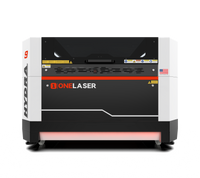
If you're planning to run high volume from day one — wholesale accounts, or a production-speed business plan — OneLaser's industrial-grade Hydra platform comes in two generations worth knowing apart:
- Hydra Series (Gen 1) pairs a Glass CO₂ tube with a 38W RF tube — a reliable, budget-friendlier workhorse built for heavy-duty throughput.
- Hydra Gen2 moves to a full RF-based dual-laser system with faster motion and modular expansion, including an optional fiber upgrade for metal work. Worth the extra look if you're running high volumes of layered or mixed-material orders; Gen 1 still delivers the same core dual-laser advantage if budget is the deciding factor.
- Hydra 16 Gen2 Review: How Stitchcraft Interiors Builds Fast & Furious-Level Interiors
- How the OneLaser Hydra 13 Helped Me 10X My Business Growth

Most new and small businesses won't need to start here — the X Series or Cobra Series will comfortably cover the first year or two of steady growth. But if you're planning to scale fast, run wholesale production, or offer both engraving and cutting across multiple materials at volume, it's good to know the Hydra platform is there as a clear next step rather than having to switch brands entirely as you grow.
You can browse the full OneLaser lineup here to compare power, bed size, and pricing side by side and find the machine that fits where your business is today—and where you want it to go.
Financing Your First Machine
Cash flow is one of the biggest hurdles for a new laser engraving business, and you shouldn't have to choose between buying equipment and covering your first few months of overhead. OneLaser offers financing options built specifically for small businesses and new owners, so you can get a capable machine running now and pay it down as your orders start coming in—rather than waiting until you've saved the full purchase price upfront.

18. Action Plan for Pricing Success
- Build Your Spreadsheet – Include material, labor, overhead, and machine wear.
- Set Minimums – Establish setup fees and order minimums to cover hidden time costs.
- Define Standard vs. Custom Rates – Fixed prices for repeat products, flexible rates for one-off jobs.
- Add Profit Centers – Upsell finishing, personalization, and rush services.
- Adjust Regularly – Review costs every 3–6 months to stay competitive.
- Invest in Reliable Equipment – Faster, more consistent machines mean more accurate quotes, better turnaround, and higher profits.
19. FAQs
How much does laser engraving cost?
Most laser engraving jobs range from $8–$150 depending on item type, material, complexity, and order quantity. Simple text engravings sit at the lower end; detailed photo work and larger signage sit at the higher end.
How much does a laser engraver cost?
Entry-level desktop machines suited for new businesses typically start in the low thousands, while higher-power workshop machines built for volume production cost more. Financing options can make the upfront cost more manageable for new business owners.
What's the minimum budget to get started with laser engraving?
A realistic starting budget for a small side business is around $1,500–$4,000, covering a capable desktop machine, basic materials, and simple design software.
How do I price my laser engraving products to make a profit?
Use the core formula—materials + labor + machine wear + overhead, multiplied by your profit margin (20–40%)—and revisit your numbers every few months as your costs and demand change.
How much should I charge for laser engraving?
It depends on the item, but a simple keychain or coaster might run $8–$20, while a detailed photo plaque can run $60–$200+. Use the quick reference table in Section 17 as a starting anchor.
How do I price bulk or wholesale orders fairly?
Apply volume discounts (10–15% for larger batches) since batch efficiency reduces your per-unit labor time while still protecting your overall profit margin.
Do I need a minimum charge?
Yes — a $20–$30 minimum ensures setup and prep time are always covered, even for small jobs.
Should I charge less if my machine is faster than a competitor's?
Not necessarily. A faster machine lets you complete more jobs and hit tighter turnaround times, but the value of the finished piece to your customer doesn't shrink just because it took you less time to make. Many shop owners price based on value delivered, not strictly on machine minutes.
How can I compare turnaround times when quoting a job?
Track how long similar jobs actually take from setup to packaging, not just laser run time. This lets you quote realistic delivery dates and identify where a faster or higher-capacity machine would meaningfully speed up your business.
Can I really start a laser engraving side business from a coffee shop or small retail counter?
Yes, a compact desktop machine fits easily in a small space, and adding personalization to items you already sell (mugs, coasters, gift items) is a low-friction way to add a new revenue stream to an existing business.
Final Thoughts
Getting laser engraving pricing right is the difference between a hobby and a thriving business. By using a structured formula, understanding your fixed and variable costs, and knowing when value-based thinking should raise your ceiling, you'll be able to quote confidently on everything from a single engraved coaster to a full wholesale order.
Add-ons, rush fees, and bulk discounts give you flexibility, while a reliable, precision machine keeps your shop competitive on speed and consistency. If you're just getting started, take a look at the OneLaser lineup built for new and small businesses, and don't let upfront cost hold you back — financing options exist specifically to help new owners get running without draining their startup budget.
Pricing isn't guesswork — it's a system. And once you master it, your laser engraving business is set to scale with confidence.
Have questions about which machine fits your budget or business plan? Reach out to our team — we're happy to help you get started the right way.