 Liquid error (sections/image-banner line 171): invalid url input
If you’re in the laser engraving and cutting business, you’re probably always on the hunt for high-margin, quick-turnaround products that serve passionate niche markets. The gaming community is a prime case. Gamers love the custom setup. They will pay a premium for high-quality, custom organization of their gear.
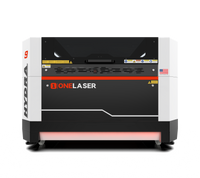
Today I want to take you behind the scenes of one of our latest projects in the shop: the Laser Cut Controller Stand. This sleek dual-tone stand was designed and built right here at the workshop with our workhorse the OneLaser Hydra 9.
This tutorial will walk you through the business mechanics, production flow, material options and the step-by-step manufacturing process to make this project a success, whether you're looking to add a new product line to your Etsy shop or streamline your current production workflow.
1. Market Analysis & Business Mechanics
Before firing up the laser, let’s look at how this project functions as a commercial product.
a. Target Customer Segments
- The Dedicated Gamer / Streamer: Looking for functional aesthetics to clean up their desk or set up backdrops for live streams. They love personalization (gamer tags, team logos, etc.).
- The Gift-Giver: Parents, partners or friends looking for birthdays or holidays. This is a huge category on sites such as Etsy where “Gift for Gamer” is one of the most searched terms.
- The Custom Arcade Enthusiast: Users that have custom builds and need odd sizing or specific mounting options.

b. Production Time & Pricing Strategy
Profitability comes from efficiency. Here’s the breakdown of the numbers for making this on the Hydra 9:
| Metric | Details |
| Material Cost | ~$2.00–$3.00 (3mm Plywood, wood glue, and a fraction of spray paint cost) |
| Laser Cycle Time | ~4 to 6 minutes total (Combined engraving and cutting per single stand) |
| Assembly & Finishing | ~10 minutes (Sanding, gluing, and quick-dry dual-tone spray painting) |
| Total Production Time | ~15 minutes per unit |
| Suggested Retail Price | $25.00 – $35.00 USD (Up to $45.00+ if deeply customized with intricate personal engravings) |
c. Material Flexibility: Can You Swap the Plywood?
While our standard tutorial uses 3mm plywood because it is lightweight, structurally stable, and incredibly cost-effective, you can absolutely pivot to other materials to target different price points:
- Acrylic (3mm - 5mm): Perfect for a modern, sleek, or sci-fi look. Neon, translucent, or matte black acrylic sells exceptionally well in the gaming community. Note: You will need to adjust your Hydra 9 speed and power settings for acrylic to avoid melting and achieve polished edges.
- MDF (Medium-Density Fiberboard): If you plan to fully paint the stand with a heavy opaque coat, MDF provides an ultra-smooth surface without wood grain showing through, and it cuts beautifully.
- Double-Layered Mixed Media: For a premium tier, use a plywood backer with a contrasting acrylic front layer to give the stand a high-end, 3D pop.
2. Materials and Tools You’ll Need
Here’s what you need to get started:
- 3mm plywood sheets – strong yet lightweight for cutting and assembly.
- Laser cut controller stand file – an SVG or DXF design file tailored for controllers.
- LightBurn software – to manage your design and laser settings.
- OneLaser Hydra 9 – a high-power CO2 laser engraver and cutter.
- Glue – to secure layers and joints.
- Color spray (blue and pink) – for a stylish finish.
3. Step-by-Step: How to Laser Cut Controller Stand
This is how we build these stands with the OneLaser Hydra 9.
Step 1: Prepping the Bed
Place your 3mm plywood sheet onto the working bed of the Hydra 9.
Step 2: Import the Design File into LightBurn
Import your SVG or DXF controller stand file into LightBurn. Because the Hydra 9 features a spacious working area, do not just cut one at a time. Nest multiple files together to run an efficient batch production. This is also where you can type in custom text layer modifications like a customer's gamer tag.
Step 3: Set the Engraving and Cutting Parameters
The Hydra 9 balances high power with extreme precision. For clean, char-free edges on standard 3mm plywood, use the following verified workshop settings:
Engraving Settings:
- Speed: 600
- Max Power: 20
- Min Power: 2
Cutting Settings:
- Speed: 15
- Max Power: 70
- Min Power: 70
These settings balance precision and efficiency, ensuring fine engraving details and smooth cut edges.
Step 4: Auto Focus on the Hydra Series TouchScreen
Move your laser head over the material and utilize the Auto Focus feature directly through the Hydra Series TouchScreen interface. Proper focal distance ensures the narrowest possible kerf, giving you tight, interlocking friction joints and razor-sharp engraving lines. Once focused, frame the job and hit start.
Once set, hit start and watch the Hydra cut and engrave your stand parts.

Step 5: Assemble, Glue, and Paint Your Stand
- Sand: Give the pieces a quick pass with 220-grit sandpaper to smooth out the edges.
- Glue: Apply a small amount of wood glue to the slot joints, assemble the structural pieces, and clamp them briefly.
- Paint: To capture that classic "gaming room" vibe, we used a split color scheme of vibrant blue and hot pink spray paint. Mask off separate components before final assembly if you want a clean, sharp contrast between the base and the supports.

4. Creative Laser Cut Game Controller Stand Ideas
Here are some creative twists to try:
- Multi-Controller Stand: Design a larger base to hold two or more controllers.
- Headset + Controller Combo: Add an arm for headphones to create a full gaming dock.
- Personalized Engravings: Gamer tags, team logos, or favorite game titles.
- Cute Laser Designs: Incorporate characters, patterns, or abstract art.
- Layered Effects: Use stacked plywood or combine wood with acrylic for depth.

5. Why the OneLaser Hydra 9 is a Commercial Game-Changer
When transitioning from a hobbyist to a production business, your equipment dictates your output limits. The OneLaser Hydra 9 is purpose-built to scale operations:
- Dual-Laser Capability: Hydra series lets you significantly boost your throughput. If you have a high volume of online orders, you can use fast multi-head workflows to significantly reduce your production time.
- Industrial Power & Precision: The CO2 tube provides consistent cutting depth throughout the entire bed, allowing tight tabs and slots to fit together perfectly every single time without the need for manual filing.
- Massive Working Bed: Load large sheets of plywood rather than loading small sheets over and over to cut a dozen controller stands, headphone docks, or pieces of laser-cut wall decor in a single unattended run.
Need the best machine? Talk to our experts!

Final Thoughts
The gaming accessories market is a very lucrative outlet for laser businesses. Game controller stands are a real bang-for-the-buck product, with material costs under $3 and quick turnaround times on the OneLaser Hydra 9. Experiment with various colors, personalize your storefront with custom text and let the Hydra 9 take care of batch production.